This detailed guide outlines the options for connecting your AmpVortex amplifier to a TV. Connectivity options and supported audio formats (Stereo or Multi-Channel) differ based on the model.
Flexible Connection Solution: Using Wireless HDMI
For users who wish to avoid running long HDMI cables through walls or across floors, a Wireless HDMI Transmitter/Receiver kit can be used to connect the TV and the AmpVortex.
Connection Method:
Connect to the TV:Connect the Wireless HDMI Transmitter to the TV’s HDMI ARC/eARC Output port.
Connect to the AmpVortex:Connect the Wireless HDMI Receiver to the corresponding HDMI ARC Input port on your AmpVortex amplifier model.
Use Case: This method allows for the wireless transmission of the TV’s audio return signal (ARC/eARC), maintaining a clean, cable-free home environment.
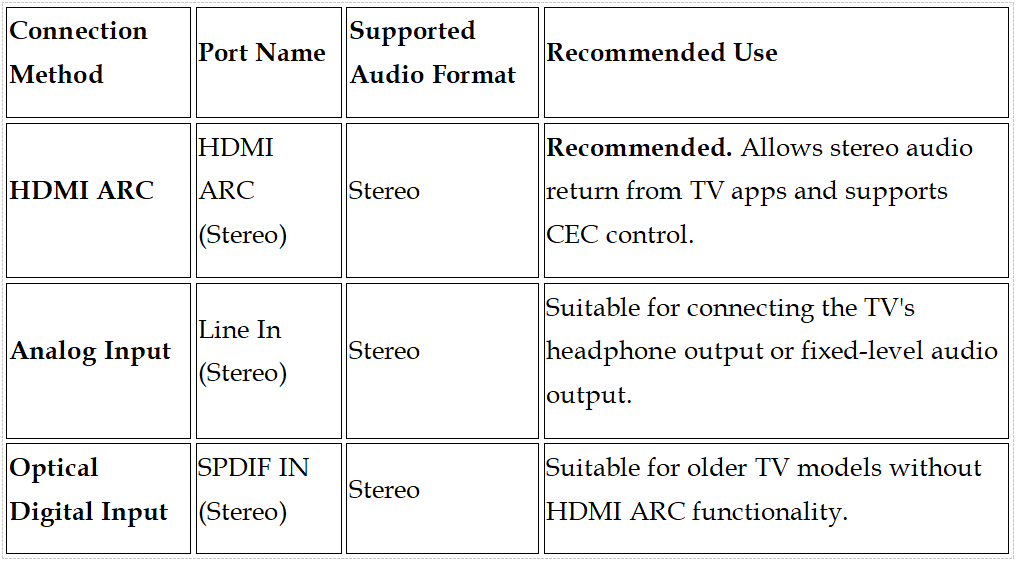
These models are primarily designed for multi-room streaming but offer the following methods to receive stereo signals from your television:
🅱️ Advanced Home Theater Connection Solution (Model: 16060A)
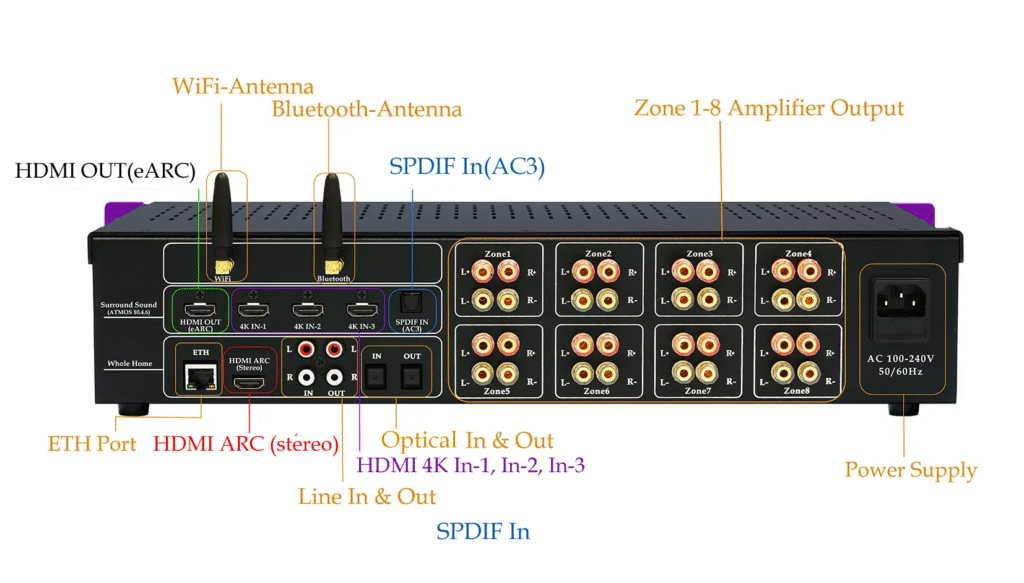
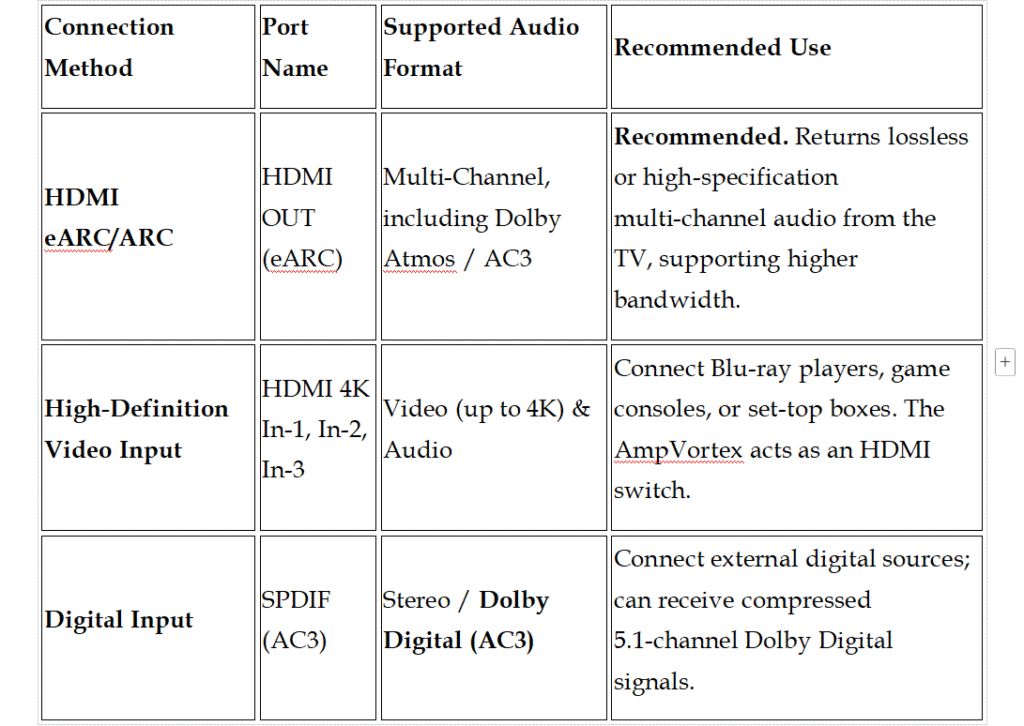
The AmpVortex-16060A is specifically designed for integrated home theater systems. In addition to supporting all the above stereo inputs, it provides multi-channel and advanced video/audio connectivity:
Summary of Connection Choices
If you only need the television audio as a stereo sourcefor your multi-room system, the HDMI ARC (Stereo) interface on the 16060, 16100, and 16060G models (either wired or via Wireless HDMI) is the best choice.
If you need to build a multi-channel home theater systemutilizing the 16 channels of the AmpVortex for audio processing, only the 16060A model meets this requirement, offering HDMI eARC return and multiple HDMI 4K inputs.
Technical Appendix: Understanding Modern A/V Interfaces
This document explains the function, differences, and relationships of the primary audio/video interfaces used in home entertainment systems today.
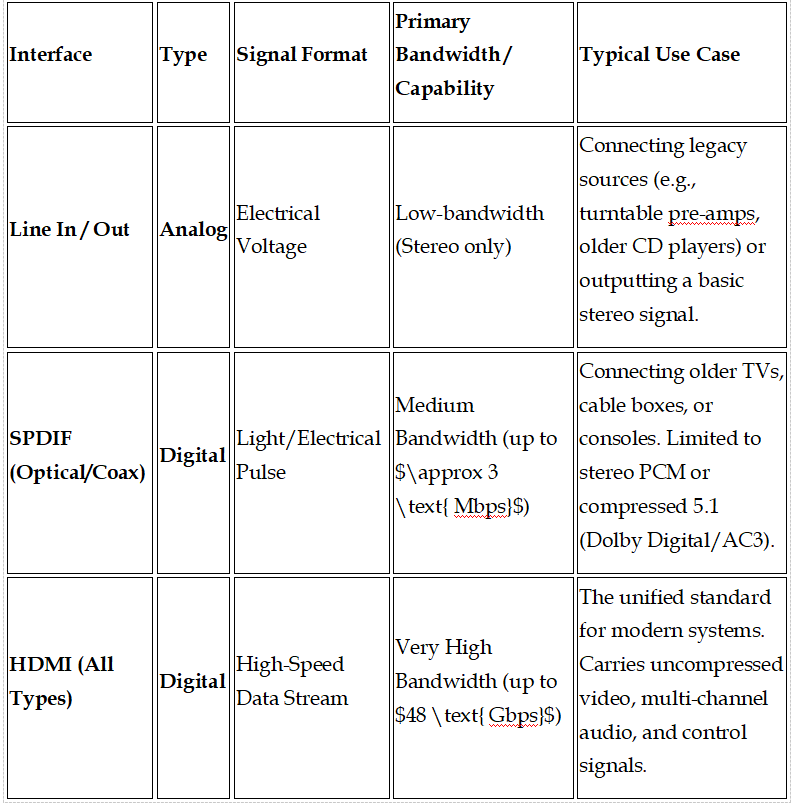
1. Comparison of Digital and Analog Interfaces
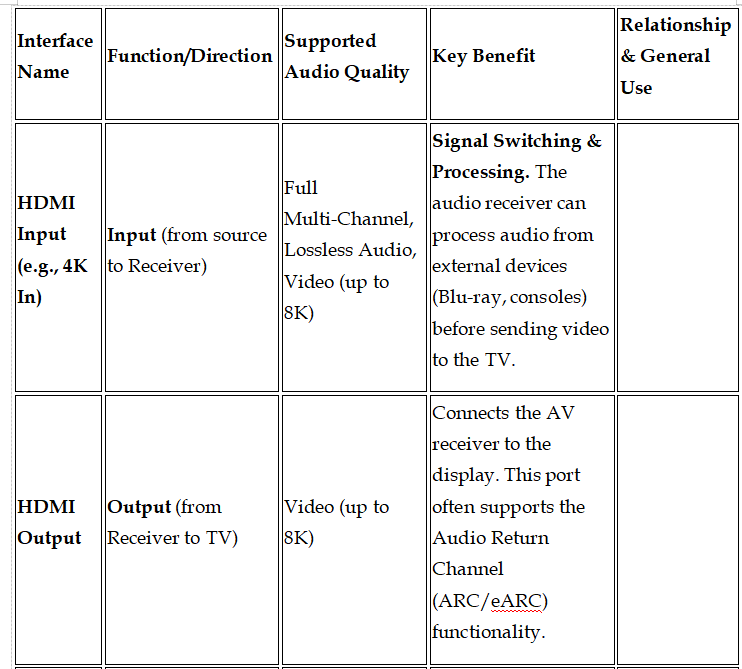
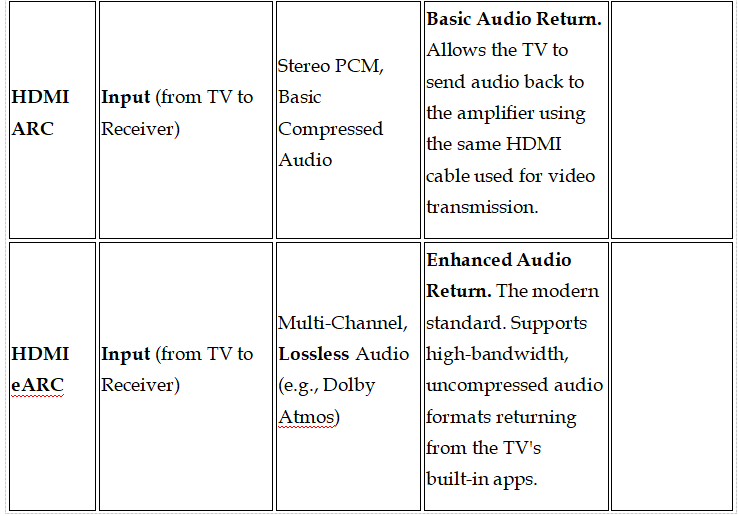
2. HDMI: The Audio/Video Standard
HDMI ports are related but serve distinct purposes in managing high-bandwidth signals between displays and audio processing devices (AV Receivers, Soundbars).
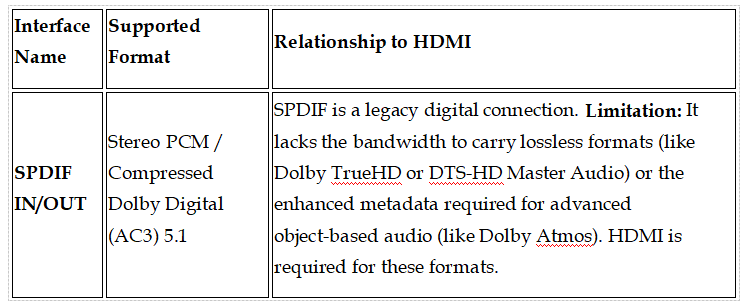
3. Limitations of Legacy Digital Audio (SPDIF)
In summary: Always prioritize HDMI (especially eARC) for modern A/V connections to ensure maximum fidelity and bandwidth. Use SPDIF or Line In only when connecting older or basic audio-only devices.

 (317)516-7460
  service@ampvortex.com