(317)516-7460
  service@ampvortex.com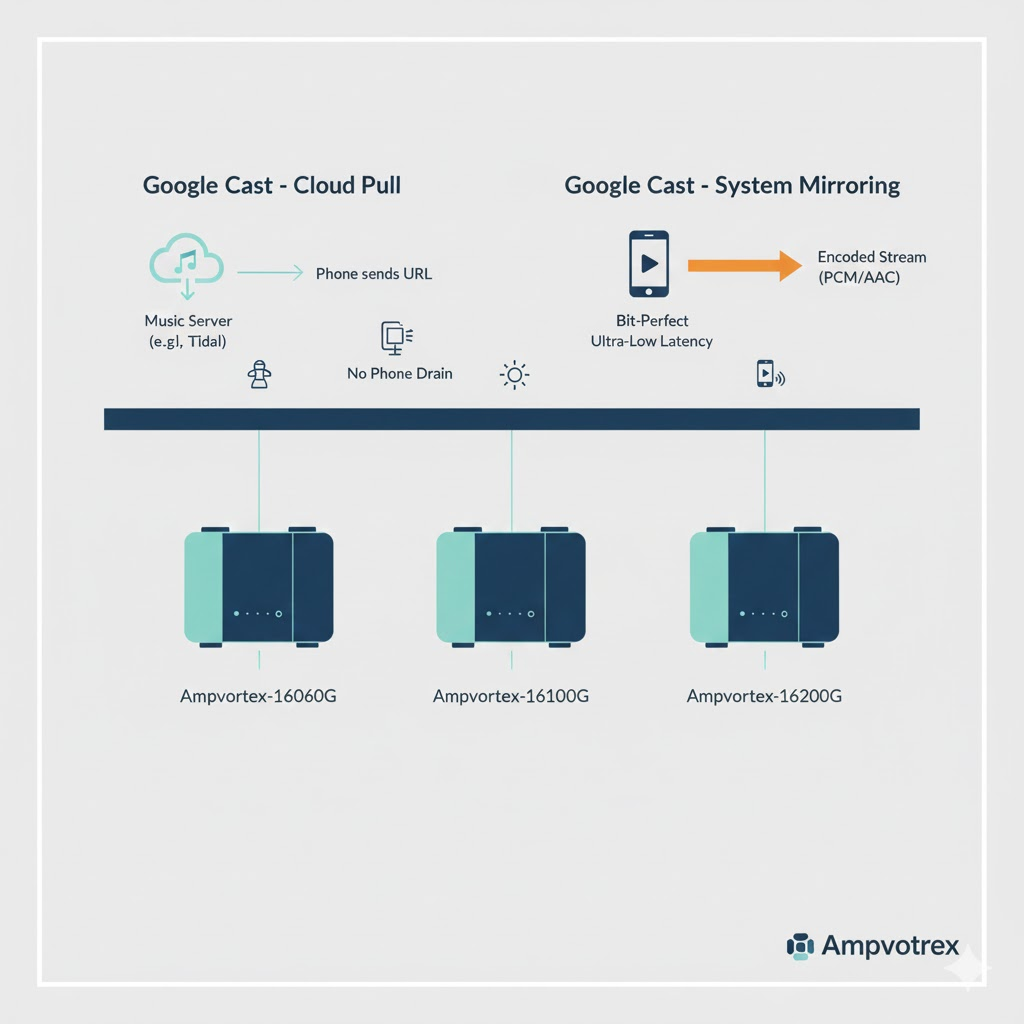
Google Cast Cloud Pull vs. System Mirroring: Guide for Ampvortex 16060G/16100G/16200G
Google Cast Cloud Pull vs. System Mirroring: The Definitive Guide for Ampvortex-16060G, 16100G & 16200G
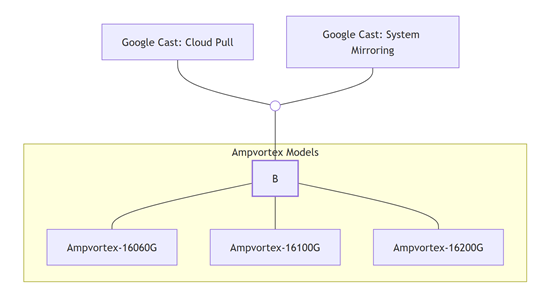
For Android audiophiles and custom integrators, Google Cast (Chromecast built-in) is the premier bridge for wireless high-resolution audio. However, there is often confusion regarding the inconsistent behavior between various streaming apps. At Ampvortex, we believe in technical clarity. The reality is that Google Cast operates via two distinct engines: Cloud Pull and System Mirroring.
Understanding these modes is essential to unlocking the full potential of your Ampvortex-16060G, 16100G, or 16200G system.
1. Mode A: Cloud Pull (The Audiophile’s “Direct Drive”)
Cloud Pull is the most advanced transmission method, natively supported by apps like Spotify, Tidal, and YouTube Music.
How it Works
When you tap the Cast icon, your phone acts as a “Session Controller.” It sends a secure instruction to your Ampvortex-16060G/16100G/16200G. The amplifier then utilizes its dedicated network processor to establish a direct, high-bandwidth connection to the music provider’s server.
The Technical Superiority
- Bit-Perfect Integrity: The audio data never enters your phone, completely bypassing the Android Sample Rate Converter (SRC), which traditionally forces audio through a lossy 48kHz resampler.
- High-Resolution Support: It allows Ampvortex hardware to pull original files up to 24-bit/96kHz directly to the premium internal DAC stages.
- Total Independence: Your phone is freed for calls or other media; the music on your Ampvortex system remains uninterrupted even if the phone is powered off.
2. The Reality of Amazon Music & Qobuz: Why Mirroring is the Essential Bridge
A frequent question for Ampvortex users is why the “Cast” button behaves differently in Amazon Music or Qobuz.
The truth lies in app-level restrictions:
- Amazon Music’s Restrictions: Due to DRM and ecosystem competition, Amazon Music frequently disables the “Cloud Pull” feature for third-party hardware. Even when available, it often limits quality to 16-bit to prioritize their proprietary devices.
- Qobuz’s Bandwidth Demands: While Qobuz supports Cloud Pull, ultra-high-bitrate files (up to 192kHz) require a flawless network handshake. If any instability is detected, the app may fail to initiate the direct pull.
3. Mode B: System Mirroring (The Universal “Safety Net”)
When an app restricts “Cloud Pull,” the Ampvortex-16060G, 16100G, and 16200G utilize their second engine: System Mirroring.
Why Ampvortex Hardware Makes Mirroring Better
Unlike generic receivers, Ampvortex optimizes this path:
- Kernel-Level Priority: Our certified implementation ensures the Android system treats Ampvortex as a high-priority output, significantly reducing dropouts.
- Ultra-Low Latency: We maintain a synchronization window of <200ms, ensuring perfect “Lip-Sync” when watching concert videos or live streams on your phone.
- Maximum Throughput: The 16060G, 16100G, and 16200G provide a high-bandwidth “fast lane” to preserve as much of the original signal’s dynamic range as the OS allows.
4. Technical Comparison: At a Glance
| Metric | Cloud Pull (Spotify/Tidal) | System Mirroring (Amazon/Qobuz) |
| Data Source | Direct from Cloud Server | Relayed from Phone |
| Audio Path | Bit-Perfect (Direct to DAC) | Processed by Phone Kernel |
| Audio Latency | 1–3s (Deep Buffering for Stability) | <200ms (Real-Time Lip-Sync) |
| Max Fidelity | Up to 24-bit / 96kHz | Typically 16-bit / 48kHz |
| Hardware Benefit | Independent Network Streamer | High-Performance Wireless Receiver |
5. Decision Tree: Which Mode Should You Use?
- Is your app Spotify, Tidal, or YouTube Music? * -> Use the Native Cast Button (Mode A: Cloud Pull).
- Are you using Amazon Music, Qobuz, or watching a Video? * -> Use Android “Cast Screen/Audio” (Mode B: System Mirroring).