
 (317)516-7460
  service@ampvortex.com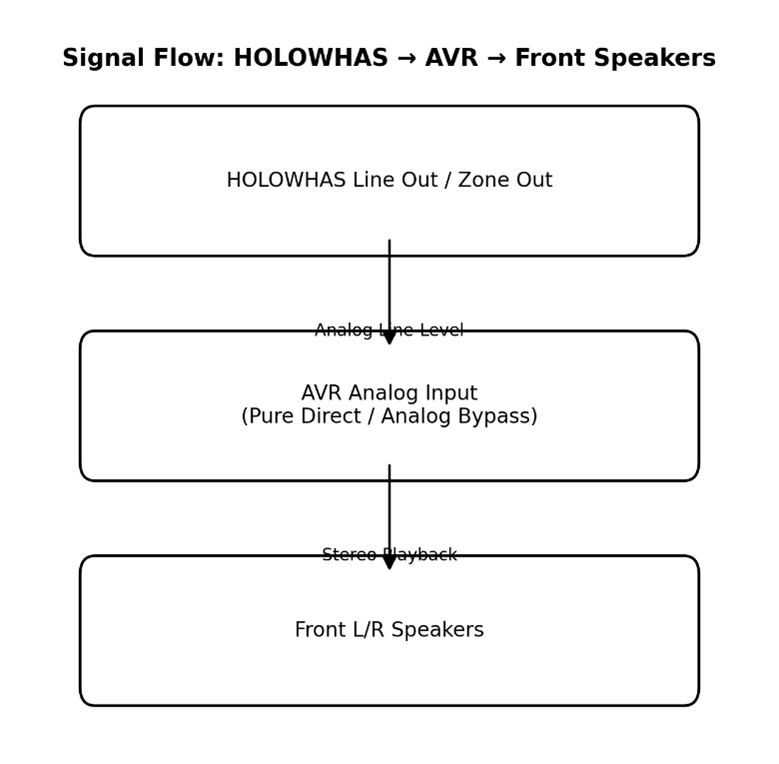
Two Valid Audio Integration Paths Between HOLOWHAS and AVR Systems
Line-Level vs SPDIF Integration Explained (HOLOWHAS Ultra / Plus / Max × Yamaha AVR)
In high-end residential audio systems, a very common and fully legitimate requirement is to share the same loudspeakers between a home theater system and a multi-room music system.
A typical example:
- The front L/R speakers in a home theater are used for surround or immersive formats during movie playback
- The same speakers are also expected to deliver high-quality stereo music when the system is in music mode
When HOLOWHAS Ultra / Plus / Max and an AV receiver such as the Yamaha TSR-series are involved, there are only two technically correct integration paths. All real-world configurations are variations of these two paths.
The Core Principle
At any given time, only one device can be the “audio master source.”
The other device must behave strictly as a playback endpoint.
Once this master–endpoint relationship is clearly defined, integration becomes predictable, stable, and easy to troubleshoot.
Path A: HOLOWHAS → AVR
(Multi-Room Music Playing Through Home Theater Speakers)
Typical Use Case
- Music originates from HOLOWHAS Ultra / Plus / Max
- Home theater L/R (or LCR) speakers are reused for stereo music playback
- AVR switches between Movie Mode and Music Mode
This is the most common and recommended scenario.
Option A1: Line Out → Line In (Recommended)
Why this works best
- Line-level analog signals are:
- Format-agnostic
- Clock-independent
- Fully compatible with multi-room routing
Critical AVR requirements
- The AVR must be set to:
- Pure Direct / Analog Direct / Bypass mode
- No DSP, no surround decoding, no HDMI prioritization
- The analog input must not be internally converted or downmixed
In practice, most “no sound” cases are caused by the AVR not being switched to analog direct mode.
Option A2: SPDIF Out → SPDIF In (Supported, With Limitations)
HOLOWHAS SPDIF Out
↓
AVR Optical / Coax Input
↓
Front L/R Speakers
Important limitations
- SPDIF typically carries:
- 2-channel PCM, or
- Compressed multi-channel formats
- No per-zone level control
- AVR input selection and decoding mode must be explicitly configured
This method is technically valid but less flexible than analog line-level integration.
Path B: AVR → HOLOWHAS
(Distributing Home Theater Audio to Multiple Rooms)
Typical Use Case
- Audio originates from the AVR (TV, Blu-ray, HDMI sources)
- The same content is distributed to other rooms via HOLOWHAS
This path is valid, but far more constrained by AVR design limitations.
Option B1: AVR Line Out / Zone Out → HOLOWHAS Line In
AVR Analog Out / Zone 2 Out
↓
HOLOWHAS Line In
↓
Multi-Room Zones
Key constraints (AVR-side, not HOLOWHAS)
- Most AVRs:
- Only output analog signals to Zone 2 / Zone 3
- Do not down-convert HDMI audio to analog by default
- Zone outputs must be:
- Explicitly enabled in the AVR menu
- Assigned to the correct source
- Configured for appropriate output level
If no audio is heard, the cause is almost always AVR zone configuration, not system incompatibility.
Option B2: AVR SPDIF Out → HOLOWHAS SPDIF In (Generally Not Recommended)
AVR SPDIF Out
↓
HOLOWHAS SPDIF In
Why this is rarely ideal
- Many AVR SPDIF outputs are:
- Monitor-only or record-only
- Not true global program outputs
- Multi-room synchronization and latency control are limited
This option is electrically possible, but rarely optimal in real installations.
Choosing Between Line-Level and SPDIF
| Criteria | Line In / Out | SPDIF In / Out |
| Multi-room compatibility | Excellent | Limited |
| Clock dependency | None | Required |
| AVR configuration complexity | Low | Medium–High |
| Flexibility | High | Medium |
Summary
- There are only two valid integration paths between HOLOWHAS Ultra / Plus / Max and an AVR
- Both paths are technically sound when:
- The master audio source is clearly defined
- The correct interface type is selected
- AVR input and zone settings are properly configured
Successful integration is not about using more cables — it is about correct source ownership and signal routing logic.