
 (317)516-7460
  service@ampvortex.com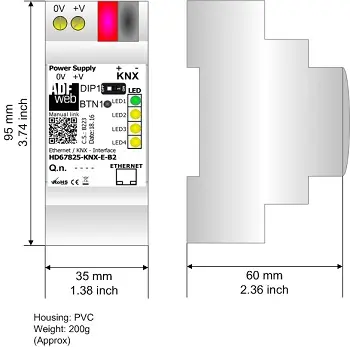
Using Lua Scripts to Control AmpVortex via KNX: A Practical Guide
Using Lua Scripts to Control AmpVortex via KNX: A Practical Guide
Introduction
With the rise of smart home automation, multi-room audio systems have become a central element of modern living spaces. AmpVortex, a high-performance multi-room streaming amplifier, can be fully integrated into KNX home automation systems using custom Lua scripts. In this guide, we will demonstrate how to write, deploy, and test Lua scripts to control AmpVortex devices via KNX, without the need for a physical KNX panel.
1.System Overview
In our setup:
– ETS Software – Used for KNX programming and simulation.
– HD67825-KNX-E-B2 – KNX/IP gateway, bridging ETS commands to KNX bus.
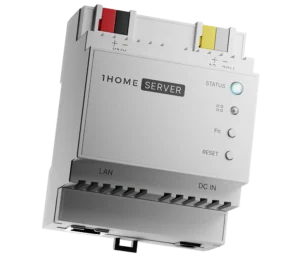
– 1Home Server KNX Pro – Hosts Lua scripts, subscribes to KNX Group Addresses, and sends control commands to AmpVortex via Ethernet.
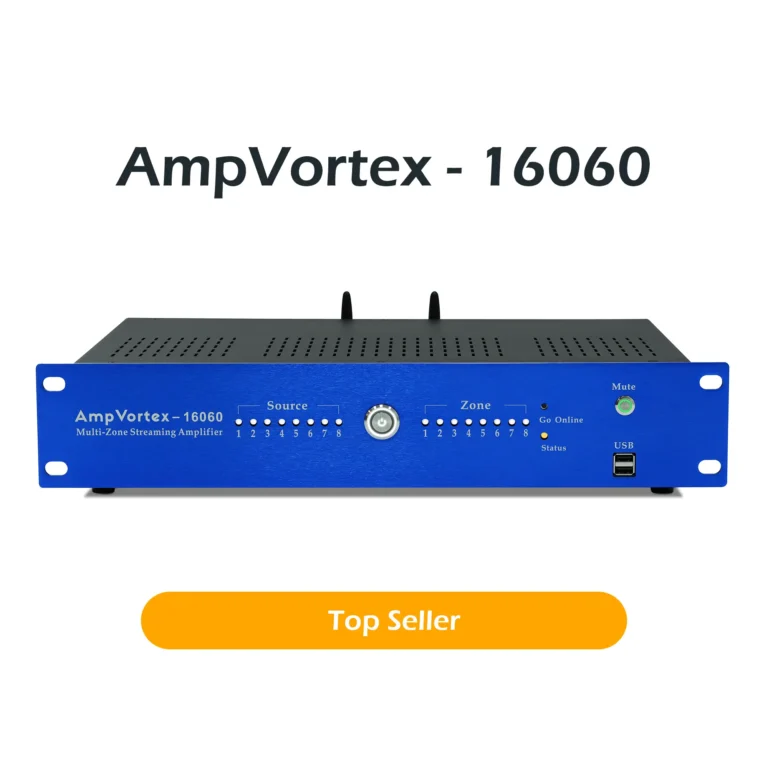
– AmpVortex Multi-room Amplifier – Receives control commands and executes actions (volume adjustment, input switching, etc.) over Ethernet.
Network Topology:
[ETS Software] → [HD67825-KNX-E-B2] → KNX Bus → [1Home Server KNX Pro] → Ethernet → [AmpVortex]
2. Lua Script Architecture
The Lua script acts as a bridge between KNX events and AmpVortex commands. Key responsibilities:
– Subscribe to relevant KNX Group Addresses.
– Parse incoming KNX telegrams (e.g., Group Write messages).
– Map KNX commands to AmpVortex actions (volume, input, power, etc.).
– Send control commands to AmpVortex over Ethernet using its API.
Example Lua Script
					Example Lua Script
```lua
-- AmpVortex KNX Controller Script
local ampvortex_ip = "192.168.1.50"
local knx_group_volume = "1/1/10"
local knx_group_input  = "1/1/20"
function send_to_amp(command, value)
    local http = require("socket.http")
    local url = "http://"..ampvortex_ip.."/api/"..command.."?value="..value
    local response = http.request(url)
    if response then
        print("Command sent: "..command.." = "..value)
    else
        print("Failed to send command: "..command)
    end
end
function on_knx_event(group_address, value)
    if group_address == knx_group_volume then
        send_to_amp("volume", value)
    elseif group_address == knx_group_input then
        send_to_amp("input", value)
    else
        print("Unhandled KNX Group Address: "..group_address)
    end
end
knx.subscribe(knx_group_volume, on_knx_event)
knx.subscribe(knx_group_input, on_knx_event)
print("AmpVortex KNX controller script running...")
```
3.Testing with ETS
Open ETS → Diagnostics → Group Monitor.
Send Group Write commands to 1/1/10 (volume) and 1/1/20 (input).
Monitor AmpVortex response (Web UI, logs) to verify Lua script works.
4. Benefits of This Approach
– No physical KNX panel required.
– Rapid deployment.
– Scalable – add more Group Addresses.
– Cross-platform – iOS, Android, multi-room streaming.
5. Extended Use Cases
a) Multi-Zone Volume Control
					```lua
local knx_group_zone1 = "1/2/10"
local knx_group_zone2 = "1/2/20"
function on_knx_event_zone(group_address, value)
    if group_address == knx_group_zone1 then
        send_to_amp("volume_zone1", value)
    elseif group_address == knx_group_zone2 then
        send_to_amp("volume_zone2", value)
    end
end
knx.subscribe(knx_group_zone1, on_knx_event_zone)
knx.subscribe(knx_group_zone2, on_knx_event_zone)
```
b) Switching Audio Sources
					```lua
local knx_group_source = "1/3/10"
function on_knx_source(group_address, value)
    if value == 1 then
        send_to_amp("source", "AirPlay2")
    elseif value == 2 then
        send_to_amp("source", "Spotify")
    elseif value == 3 then
        send_to_amp("source", "DLNA")
    end
end
knx.subscribe(knx_group_source, on_knx_source)
```
c) Scheduled or Event-Based Automation
– Morning routine: turn on music at 7:00 AM.
– Movie mode: dim lights and switch AmpVortex input.
– Party mode: synchronized multi-zone playback.
d) Scalability
– Add more AmpVortex units and Group Addresses.
– Supports up to 8× AirPlay2, 8× Spotify, 8× DLNA, Hi-Res Wi-Fi Audio.
6.Conclusion
Lua scripts plus KNX integration allow flexible, automated audio environments. ETS testing enables verification before deployment.