(317)516-7460
  service@ampvortex.com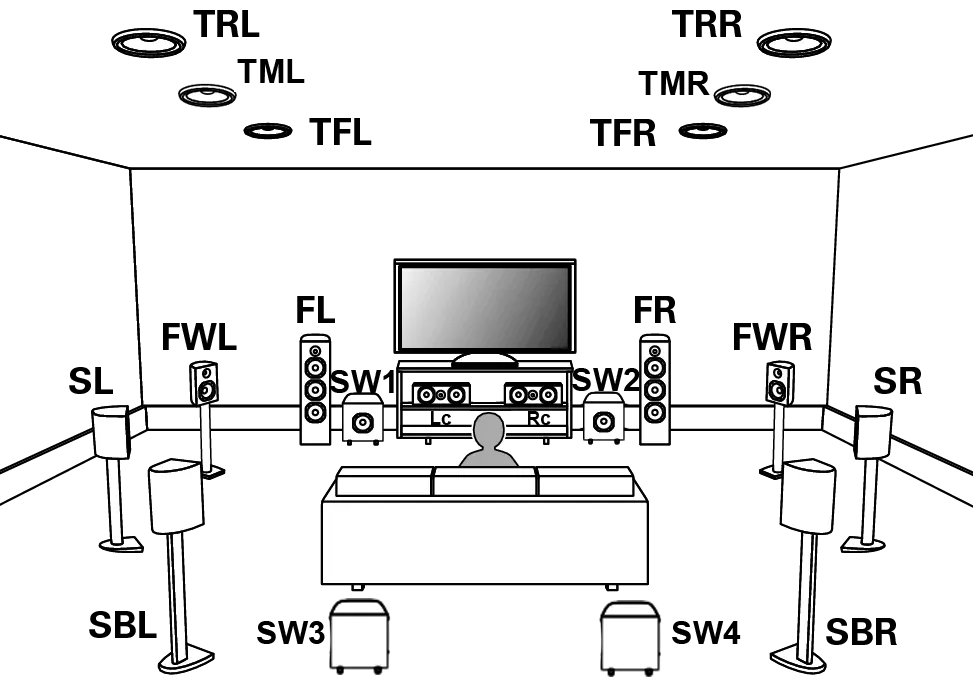
How to make AmpVortex-16060A support ATMOS 10.4.6
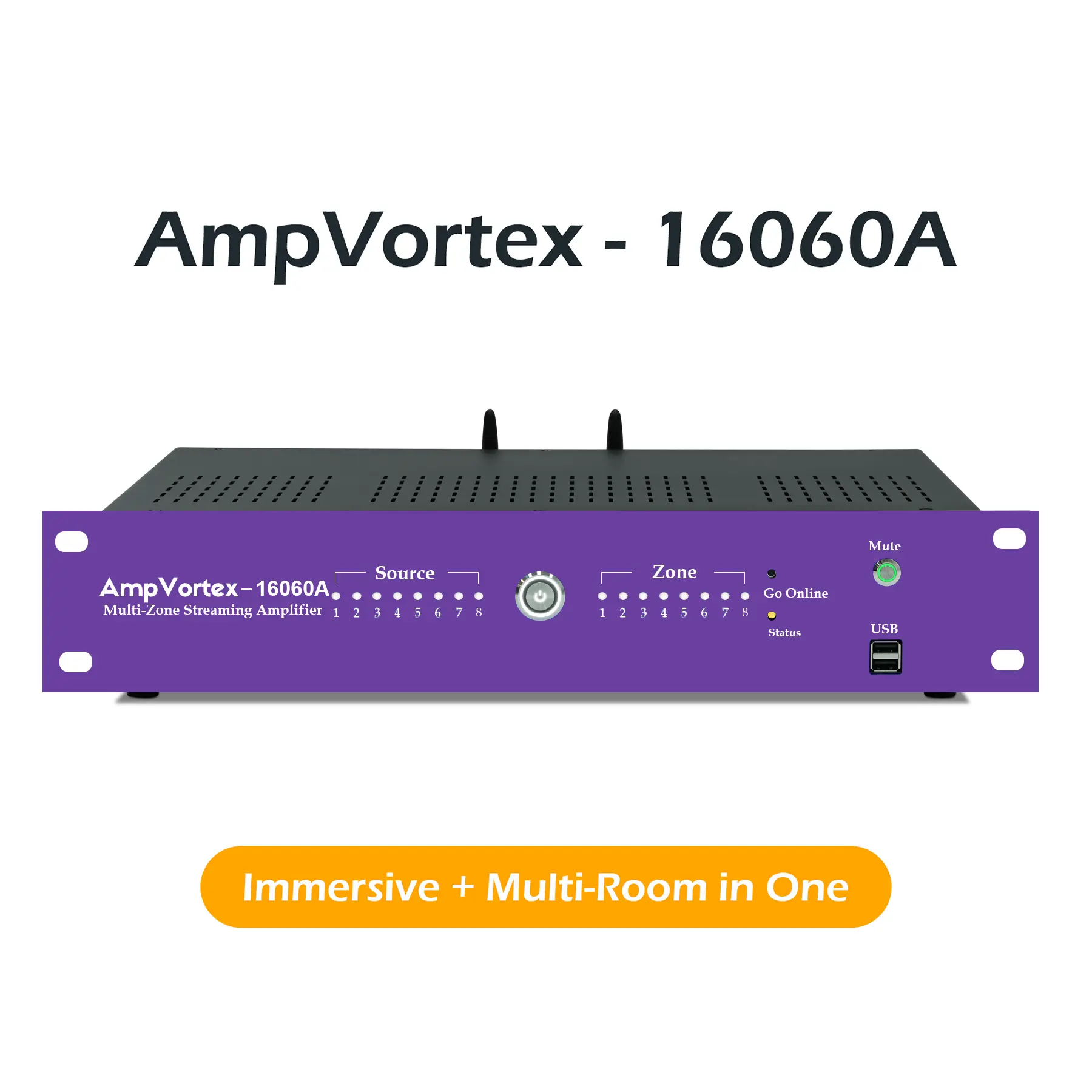
The AmpVortex-16060A is a powerful multi-zone amplifier that supports Dolby Atmos 10.4.6, providing an immersive audio experience for your home or business. This setup leverages the amplifier’s 16 output channels to create a rich, three-dimensional sound field. Here’s a detailed guide on how to configure your AmpVortex-16060A for ATMOS 10.4.6.
Understanding ATMOS 10.4.6
ATMOS 10.4.6 is an advanced surround sound configuration that includes:
- 10 Main Channels: These include the front left (FL), left center (LC), right center (RC), front right (FR), wide left (WL), wide right (WR), side surround left (SL), side surround right (SR), back surround left (SBL), and back surround right (SBR).
- 4 Subwoofer Channels: These are derived from Line Out Left, Line Out Right, SPDIF Left, and SPDIF Right.
- 6 Height Channels: These are typically used for ceiling speakers or upward-firing speakers to create a three-dimensional sound field.
Configuration Table for ATMOS 10.4.6
| Channel Type | Channel Name | Connection |
|---|---|---|
| Main Channels | Front Left (FL) | Output 1 |
| Main Channels | Left Center (LC) | Output 2 |
| Main Channels | Right Center (RC) | Output 3 |
| Main Channels | Front Right (FR) | Output 4 |
| Main Channels | Wide Left (WL) | Output 5 |
| Main Channels | Wide Right (WR) | Output 6 |
| Main Channels | Side Surround Left (SL) | Output 7 |
| Main Channels | Side Surround Right (SR) | Output 8 |
| Main Channels | Back Surround Left (SBL) | Output 9 |
| Main Channels | Back Surround Right (SBR) | Output 10 |
| Subwoofer Channels | Subwoofer 1 (Line Out Left) | Line Out Left |
| Subwoofer Channels | Subwoofer 2 (Line Out Right) | Line Out Right |
| Subwoofer Channels | Subwoofer 3 (SPDIF Left) | SPDIF Left |
| Subwoofer Channels | Subwoofer 4 (SPDIF Right) | SPDIF Right |
| Height Channels | Height Left Front | Output 11 |
| Height Channels | Height Right Front | Output 12 |
| Height Channels | Height Left Back | Output 13 |
| Height Channels | Height Right Back | Output 14 |
| Height Channels | Height Center Front | Output 15 |
| Height Channels | Height Center Back | Output 16 |
Differences Between ATMOS 10.4.6 and 9.1.6
| Configuration | Channels | Description |
|---|---|---|
| ATMOS 10.4.6 | 10 Main, 4 Sub, 6 Height | Provides a more detailed and immersive sound field with additional main and height channels. |
| ATMOS 9.1.6 | 9 Main, 1 Sub, 6 Height | Offers a robust surround sound experience but with fewer main channels and only one subwoofer. |
Steps to Configure AmpVortex-16060A for ATMOS 10.4.6
- Check Firmware: Ensure your AmpVortex-16060A is running the latest firmware. Visit the AmpVortex website to download and install any available updates.
- Speaker Setup:
- Connect your main speakers (FL, LC, RC, FR, WL, WR, SL, SR, SBL, SBR) to the corresponding outputs on the amplifier.
- Connect your subwoofers to the Line Out Left, Line Out Right, SPDIF Left, and SPDIF Right outputs.
- Connect your height speakers to the remaining outputs (11-16).
- Source Device Configuration:
- Ensure your source device (Blu-ray player, streaming device) supports Dolby Atmos.
- Configure the source device to output ATMOS 10.4.6 audio.
- Amplifier Configuration:
- Access the AmpVortex-16060A settings menu.
- Navigate to the audio configuration section.
- Select the ATMOS 10.4.6 mode and ensure all channels are correctly assigned.
- Calibration:
- Use the built-in calibration tools to adjust speaker levels, distances, and crossover settings.
- Ensure all speakers are calibrated for optimal performance.
- Test and Adjust:
- Play a Dolby Atmos demo track to test the setup.
- Adjust any settings as needed to fine-tune the sound.
By following these steps, you can fully leverage the capabilities of your AmpVortex-16060A to support ATMOS 10.4.6, providing an unparalleled immersive audio experience.