(317)516-7460
  service@ampvortex.com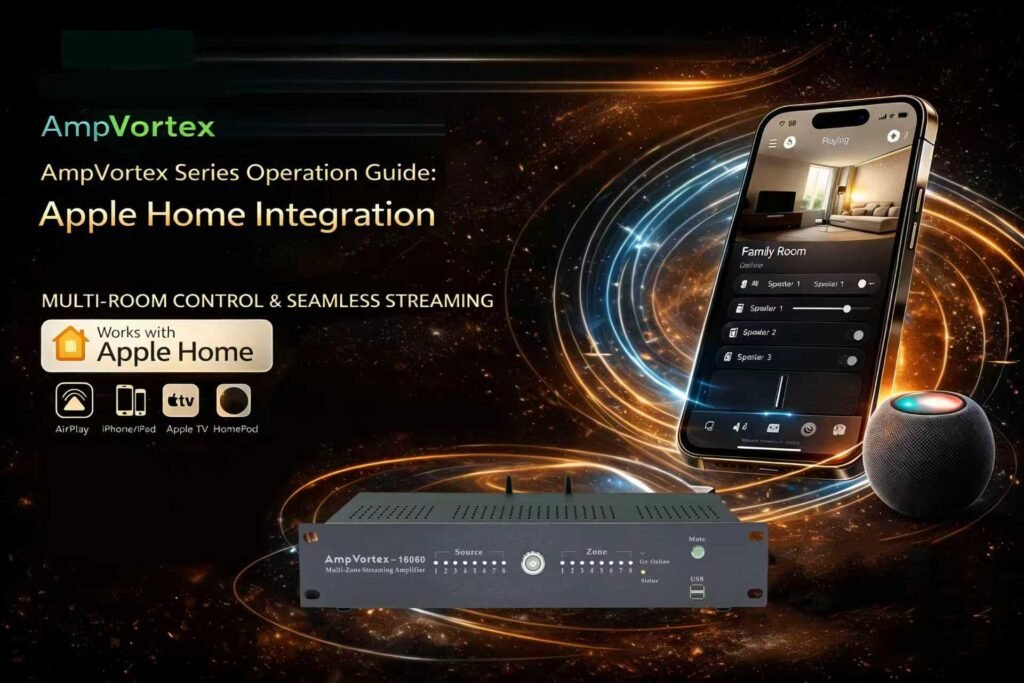
AmpVortex Series Operation Guide: Apple Home Integration
1. Industry-Leading Connectivity & Brand Vision
The AmpVortex Series Multi-room Streaming Amplifiers are engineered to dissolve the barriers of smart home audio, providing a seamless distribution experience for users worldwide. We are proud to announce that the entire AmpVortex lineup is Matter-certified, ensuring native, high-performance interoperability with the world’s leading smart home platforms:
- Apple Home (HomeKit)
- Google Home
- Amazon Alexa
- Samsung SmartThings
- Home Assistant
Whether you are an iOS enthusiast or a professional smart home integrator, AmpVortex delivers stable, high-fidelity audio. Today, we will use the AmpVortex-16060 as an example to demonstrate how to integrate your system into Apple Home via the Matter protocol.
For technical inquiries, please visit our official support center: www.ampvortex.com.
2. Preparation & Environment Requirements
Before beginning the digital installation, ensure your network and hardware are ready:
- Hardware Ready: Connect your AmpVortex-16060 to high-quality speakers and power it on. Confirm that the status LED is in “Pairing Mode.”
- Home Hub: Ensure you have an Apple Home Hub (such as a HomePod or Apple TV 4K) active in your residence.
- Mobile Device: Your iPhone or iPad should be updated to the latest iOS version and connected to your home Wi-Fi.
3. Matter-Based Standardized Setup (Scan to Connect)
AmpVortex eliminates traditional, cumbersome network configuration steps. Simply use our scan-to-identify technology:
- Launch Home App: Open the “Home” app on your iOS device.
- Add Accessory: Tap the “+” icon and select “Add Accessory.”
- Scan Setup Code: Point your camera at the “Setup Code” (Matter QR Code) located on the back panel of the AmpVortex-16060.
- Secure Handshake: Tap “Add to Home.” The system will automatically complete the encrypted connection within seconds.
4. Eight-Zone Assignment & Functional Suggestions
To precisely control audio via Siri or automation, we recommend assigning the AmpVortex-16060 outputs to specific rooms. Below is a suggested list of 8 common zones:
+1
| Zone ID | Room Name | Core Functionality | Volume Strategy |
| Zone 1 | Living Room | Social hub; supports AirPlay broadcasting. | Default 65% |
| Zone 2 | Master Bedroom | Personal relaxation; scheduled fade-in/out. | Capped at 45% |
| Zone 3 | Dining Room | Ambient dining music synced with lighting. | Constant 50% |
| Zone 4 | Kitchen | Cooking entertainment; high-clarity voice. | Volume at 60% |
| Zone 5 | Study / Office | Deep focus; high-quality lossless streaming. | Quiet 30% |
| Zone 6 | Patio / Outdoor | Outdoor parties; wide dynamic range. | High output 85% |
| Zone 7 | Bathroom | Shower accompaniment; humidity-triggered. | Moderate 55% |
| Zone 8 | Media Room | Cinema surround expansion; pure power mode. | 100% Pass-through |
5. Advanced Control: Volume, Mute, & Two-Way Sync
AmpVortex and Apple Home maintain deep bi-directional communication, ensuring the status on your screen is always accurate:
- Multi-Dimensional Tuning: Adjust volume directly via the Home App or the iOS Control Center. Tap the speaker icon to trigger “Instant Mute.”
- Real-Time Status Mirroring:
- If you adjust the volume within the AmpVortex App, the sliders in Apple Home will instantly reflect this change.
- Adjustments made via Apple Home will update the status in your AmpVortex App in real-time.
- Global Synchronization: Use Apple Home’s protocol to sync the AmpVortex-16060 with other Matter-enabled devices for a unified house-wide performance.
6. Siri Voice Interaction Commands
With Siri, you have complete hands-free mastery over your AmpVortex-16060:
- “Hey Siri, set the Living Room volume to 45%.”
- “Hey Siri, mute the Patio.”
- “Hey Siri, unmute the Study.”
- “Hey Siri, stop playing music in all rooms.”
7. Maintenance & Support
The AmpVortex team regularly releases firmware updates to enhance stability. Please keep your device online to receive the latest OTA (Over-The-Air) improvements.
- Official Website: www.ampvortex.com
- Technical Support: service@ampvortex.com