(317)516-7460
  service@ampvortex.com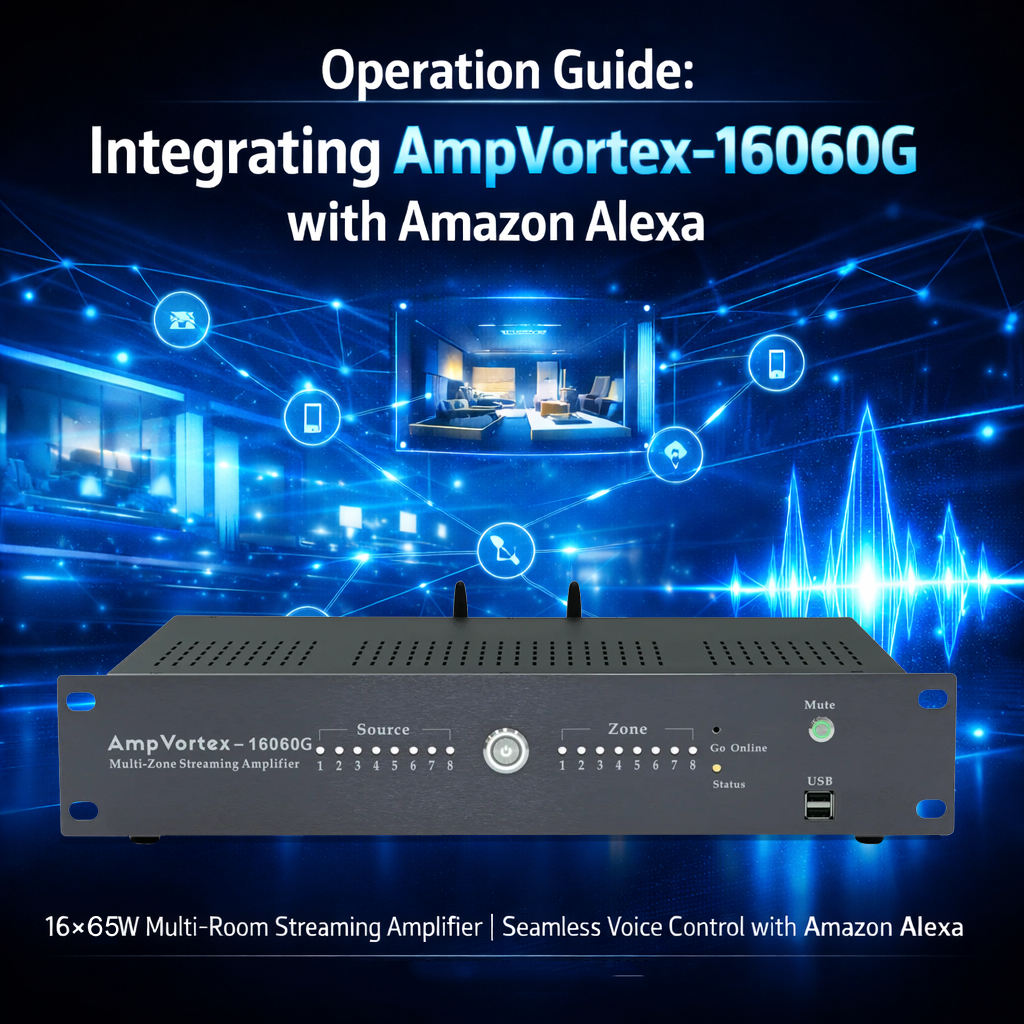
Operation Guide: Integrating AmpVortex-16060G with Amazon Alexa
1. Industry-Leading Connectivity & Brand Vision
The AmpVortex Series Multi-room Streaming Amplifiers are engineered to dissolve the barriers of smart home audio, providing a seamless distribution experience for users worldwide. We are proud to announce that the entire AmpVortex lineup is Matter-certified, ensuring native, high-performance interoperability with the world’s leading smart home platforms:
Apple Home (HomeKit)
Google Home
Amazon Alexa
Samsung SmartThings
Home Assistant
AmpVortex delivers stable, high-fidelity audio with a focus on simplicity. Today, we will use the AmpVortex-16060G as an example to demonstrate how to integrate your system into the Amazon Alexa ecosystem via the Matter protocol.
For technical inquiries, please visit our official support center: www.ampvortex.com.
2. Preparation & Environment Requirements
Before beginning the setup, ensure your network and hardware are ready:
Hardware Ready: Connect your AmpVortex-16060G to your speaker system and power it on.
Alexa Echo Device: Ensure you have a Matter-compatible Echo device (e.g., Echo Dot 5th Gen, Echo Show 8/10, or Echo Hub) to act as your Matter controller.
Mobile App: Have the latest Amazon Alexa App installed and ensure your smartphone’s Bluetooth is turned on.
3. Standardized Setup (Scan to Connect)
AmpVortex uses Matter’s “Scan-to-Connect” technology for an instant handshake:
Step1-Open Alexa App: Go to the Devices tab and tap the “+” icon in the top right.
Step2-Add Device: Select “Add Device” and scroll down to select “Other.”
Step3-Select Matter: Tap on the Matter logo.
Step4-Scan Code: When prompted, scan the Matter QR Setup Code located on the back panel of your AmpVortex-16060G.
Step5-Finish: Follow the on-screen instructions to name your device and connect it to Wi-Fi.
4. Eight-Zone Assignment & Room List
To maximize Alexa’s voice capabilities, assign your AmpVortex outputs to these common zones:
| Zone ID | Room Name | Function Description | Volume Level |
| Zone 1 | Living Room | Main social area; full-range audio. | 60% |
| Zone 2 | Kitchen | High-energy cooking background music. | 55% |
| Zone 3 | Master Bedroom | Relaxing tones; bedtime automation. | 40% |
| Zone 4 | Dining Room | Atmospheric dining background audio. | 50% |
| Zone 5 | Home Office | Low-volume focus music / podcasts. | 35% |
| Zone 6 | Patio | Outdoor high-output party mode. | 80% |
| Zone 7 | Garage | Utility audio for workshops or workouts. | 65% |
| Zone 8 | Guest Room | Guest-accessible independent audio. | 45% |
5. Advanced Control & Dual-App Sync
The AmpVortex-16060G ensures your Alexa controls are always in sync with your hardware:
Multi-Room Music (MRM): You can add the AmpVortex zones to Alexa “Everywhere” groups to play music across your entire home.
Mute & Volume Control: Use the Alexa App slider to adjust volume or tap the mute button for instant silence.
Two-Way Sync Logic:
AmpVortex App Sync: Any volume adjustment made within the AmpVortex App will be reflected on the Alexa App slider within milliseconds.
Hardware Feedback: If you change the source or volume on the physical unit, Alexa will update the status automatically.
6. Alexa Voice Commands
Control your AmpVortex-16060G with these specific voice prompts:
“Alexa, set the Living Room volume to 5.” (Note: Alexa uses a 1-10 scale).
“Alexa, mute the Patio.”
“Alexa, unmute the Kitchen.”
“Alexa, play Jazz in the Dining Room.”
“Alexa, stop the music in all rooms.”
7. Maintenance & Support
Keep your device connected to Wi-Fi for automatic firmware improvements.
Website: www.ampvortex.com
Support Email: service@ampvortex.com