(317)516-7460
  service@ampvortex.com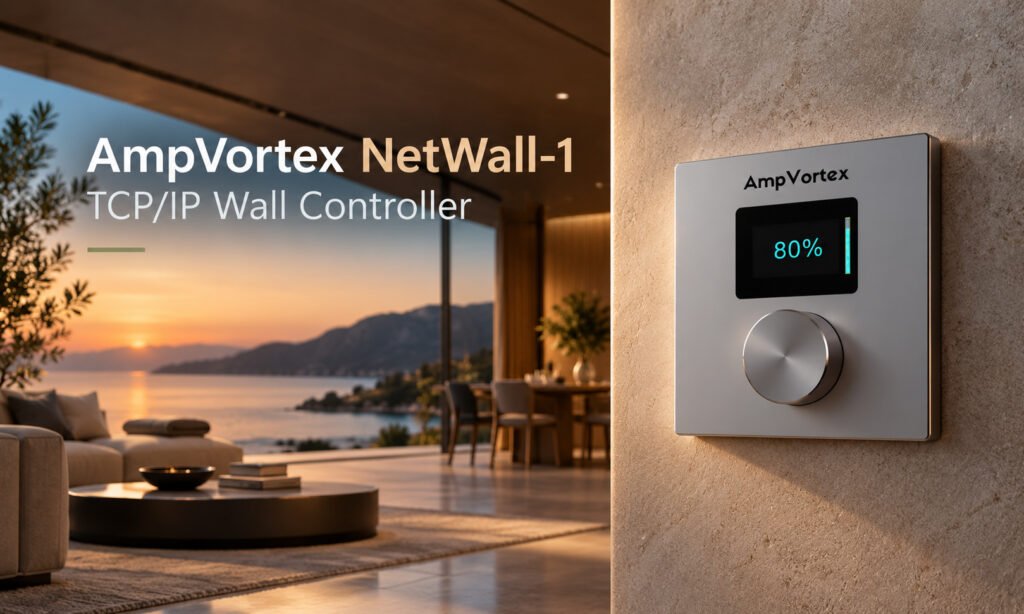
AmpVortex NetWall-1 TCP/IP Wall Controller
1. Introduction
The AmpVortex NetWall-1 is a network-based physical wall controller designed to provide simple local control of an assigned AmpVortex audio zone. It connects to the system through standard Ethernet, is powered by PoE, and communicates over the IP network.
NetWall-1 is intended for residential, commercial and hospitality installations where users need immediate physical access to volume and mute control without relying on a phone, tablet or automation touch panel.
1.1 Key Features
- TCP/IP network-based wall control.
- PoE power and network connection through a single RJ-45 cable.
- Rotary knob for volume adjustment.
- Push operation for mute / unmute.
- Local display for volume level.
- Configurable target amplifier and audio zone.
- Suitable for distributed deployment across homes, hotels and commercial spaces.
- Standard 86 × 86 mm front dimensions.
1.2 Typical Applications
- Residential multi-room audio: living room, bedroom, kitchen, study or outdoor zones.
- Hospitality: guest suites, lounges, restaurants, bars, spas and other public areas.
- Commercial audio: retail, offices, restaurants, meeting spaces and other local-control points.
2. Safety and Installation Notes
- Installation should be performed by a qualified installer or system integrator.
- Use a compatible PoE network switch or PoE injector.
- Do not connect the RJ-45 port to non-Ethernet wiring or to speaker-level outputs.
- Keep the controller and cabling away from water, excessive humidity, heat sources and strong electrical interference.
- Do not open or modify the product unless instructed by AmpVortex technical support.
- Before final installation, confirm that the network and the target AmpVortex device are operating correctly.
3. Product Overview
NetWall-1 operates as a local user interface within the AmpVortex audio network. The controller does not carry loudspeaker audio. Instead, it sends control commands over the network to the configured AmpVortex device.
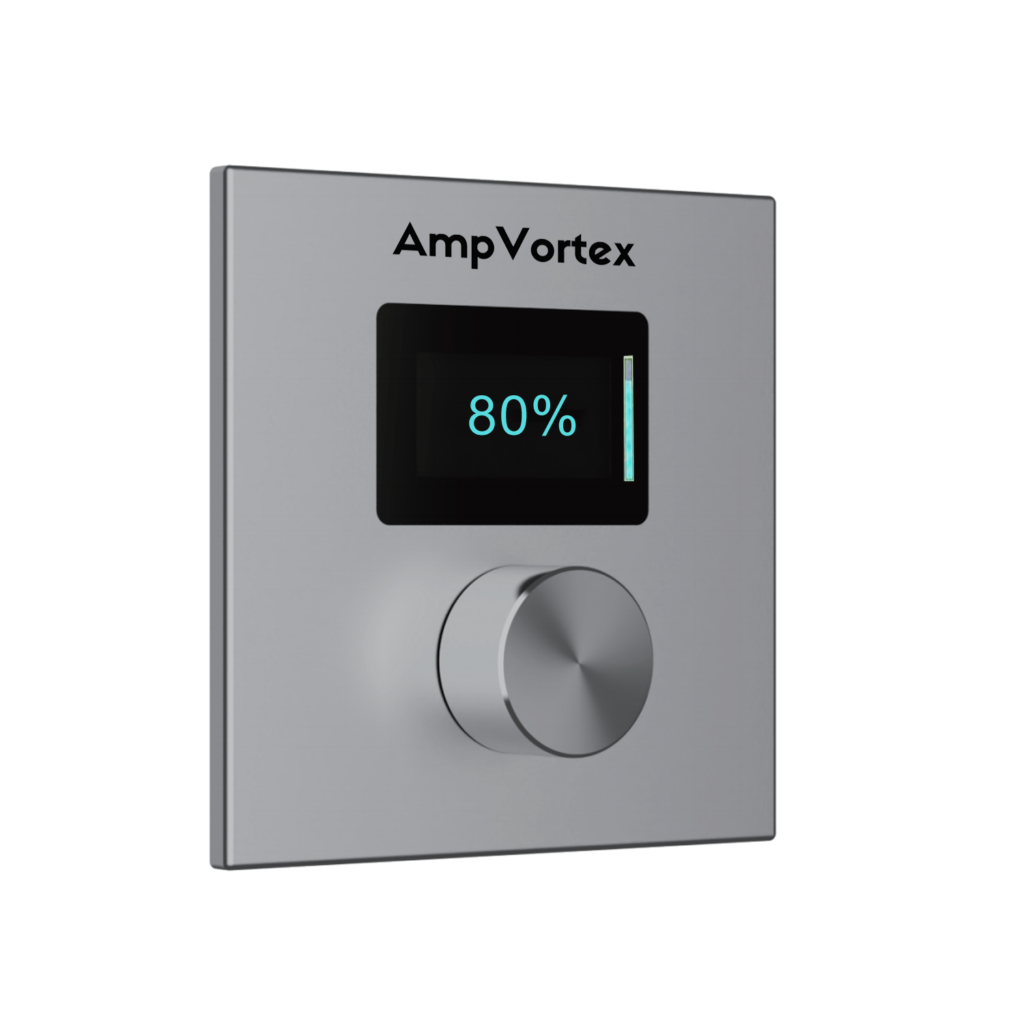
3.1 Front-Panel Operation
Control / Indicator | Function |
Rotary knob | Turn to adjust the volume of the assigned zone. |
Knob press | Mute or unmute the assigned zone. |
Display | Shows the current volume level / local control status. |
3.2 Rear Connection
Connect the NetWall-1 RJ-45 Ethernet port to a PoE-capable network switch or compatible PoE injector. The Ethernet connection provides both network communication and operating power.
4. System Architecture
A typical installation uses the following signal and control relationship:
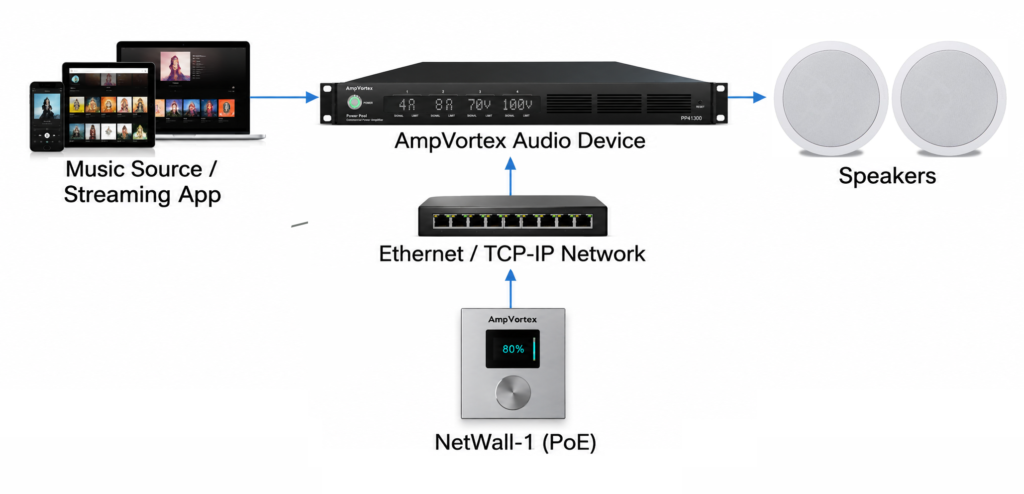
Music selection and streaming can remain on the main audio source or streaming interface, while NetWall-1 provides fixed local volume and mute control for the configured zone.
Network requirement: The NetWall-1 and the target AmpVortex device must be reachable on the same IP network or on a routed network configured to permit the required control traffic. |
5. Installation
5.1 Before Installation
- Confirm the target AmpVortex device is installed and connected to the network.
- Confirm a PoE network port is available at the NetWall-1 installation location.
- Confirm the Ethernet cable is correctly terminated and tested.
- Record the IP address of the AmpVortex device and the zone that the wall controller will control.
5.2 Ethernet / PoE Connection
- Connect a standard Ethernet cable from the PoE switch or PoE injector to the RJ-45 connector on NetWall-1.
- Allow the controller to power up.
- Verify that the controller display becomes active.
- Proceed to network and zone configuration before completing final commissioning.
5.3 Mounting
Install NetWall-1 in the required wall location using the appropriate back box and mounting method for the project. The visible controller dimensions are 86 × 86 mm. Ensure that the Ethernet cable is not sharply bent or pinched behind the controller.
6. Configuration
NetWall-1 must be configured so that its control commands are directed to the intended AmpVortex device and audio zone. Configuration is performed using the applicable AmpVortex configuration utility.
6.1 Basic Configuration Workflow
Step | Action |
1 | Connect the NetWall-1 and the AmpVortex device to the network. |
2 | Open the AmpVortex configuration utility on a computer connected to the same network. |
3 | Locate or select the NetWall-1 to be configured. |
4 | Enter or select the target AmpVortex device IP address. |
5 | Assign the audio zone to be controlled. |
6 | Write / save the configuration to the NetWall-1. |
7 | Test volume adjustment and mute / unmute from the wall controller. |
Important: The exact field names and discovery procedure depend on the released NetWall-1 configuration utility. Insert final software screenshots and exact menu names here before publishing the manual. | |
7. Daily Operation
7.1 Adjust Volume
Rotate the knob to change the volume of the assigned audio zone. The display provides visual feedback of the volume level.
7.2 Mute / Unmute
Press the rotary knob to mute the assigned zone. Press again to restore audio.
7.3 Music Selection
NetWall-1 is designed primarily for local volume and mute control. Music browsing, streaming-service selection and content selection are handled by the connected AmpVortex audio system, streaming app or integrated automation interface.
8. Multi-Zone Deployment
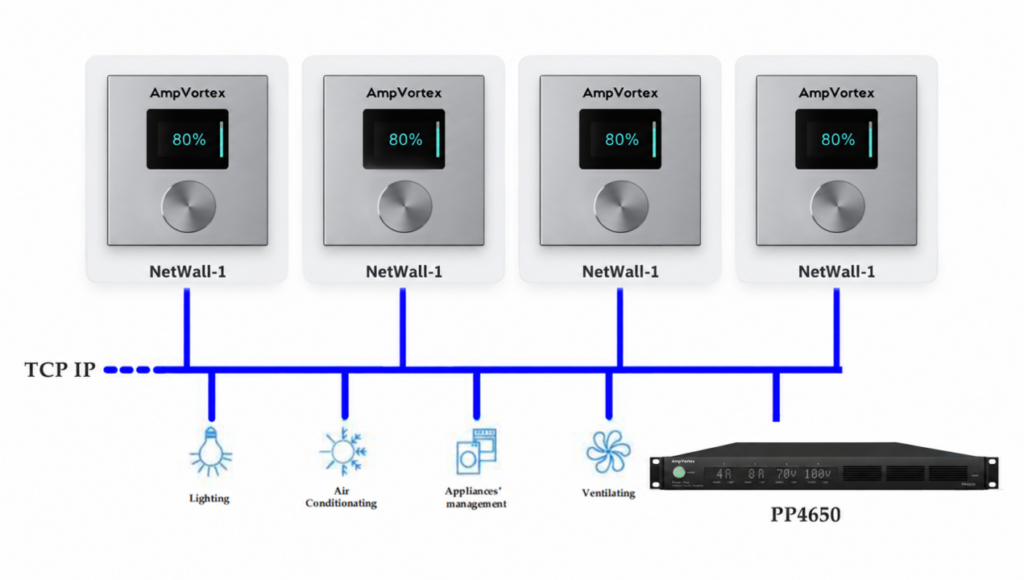
Multiple NetWall-1 controllers can be installed across a property. Each controller can be configured for the appropriate AmpVortex device and zone, allowing local physical control where it is needed.
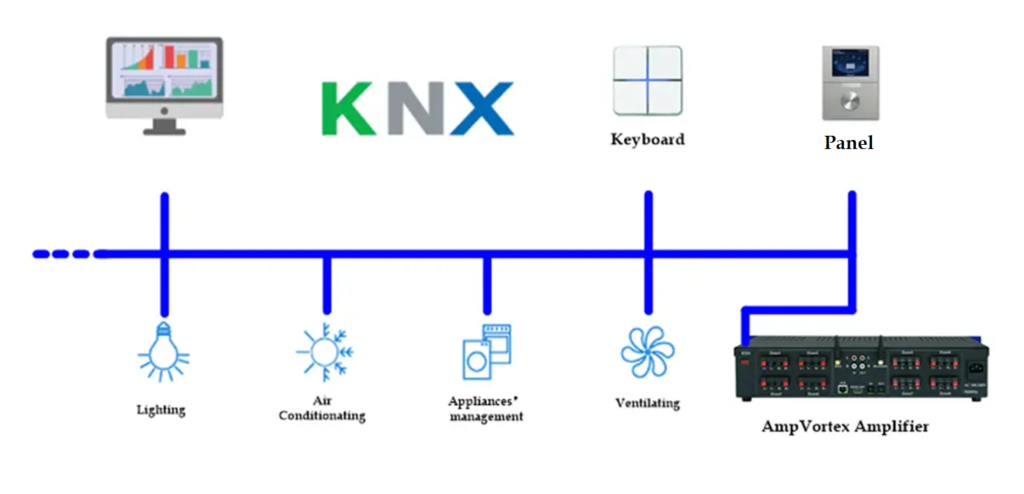
Location | NetWall-1 | Assigned Zone |
Living Room | Controller 1 | Living Room |
Kitchen | Controller 2 | Kitchen |
Master Bedroom | Controller 3 | Master Bedroom |
Patio | Controller 4 | Patio |
8.1 Commercial / Hospitality Example
In a restaurant, hotel or retail project, the amplifier can remain in the equipment rack while NetWall-1 is installed in an accessible staff location. Staff can adjust local zone volume or mute the zone without accessing the rack or system configuration interface.
9. Troubleshooting
Symptom | Possible Cause | Recommended Check |
Controller does not power on | No PoE power or cabling issue | Check PoE switch/injector, Ethernet cable and RJ-45 termination. |
Controller powers on but does not control volume | Target device/zone configuration is incorrect | Verify the configured amplifier IP address and assigned zone. |
Intermittent control | Network connectivity issue | Check switch port, cabling, VLAN/routing and network stability. |
Volume changes the wrong room | Incorrect zone assignment | Reconfigure the NetWall-1 target zone. |
Mute does not affect the expected zone | Incorrect target or zone assignment | Confirm device IP and zone mapping, then save the configuration again. |
10. Technical Specifications
Model | AmpVortex NetWall-1 |
Product Type | TCP/IP Wall Controller |
Control Protocol | UDP |
Network Protocol | TCP/IP |
Network / Power Connector | RJ-45 |
Power Supply | PoE |
Signal Cable Length | Up to 100 m |
Power Consumption | < 100 mW |
Dimensions (W × H) | 86 × 86 mm |
Material | Aluminum alloy, spray finish |
Color | Silver Sand |
11. Commissioning Checklist
☐ NetWall-1 receives PoE power.
☐ Ethernet link and network communication are available.
☐ Target AmpVortex device IP address is configured.
☐ Correct audio zone is assigned.
☐ Rotary volume control operates the intended zone.
☐ Knob press mutes and unmutes the intended zone.
☐ Display feedback is operating.
☐ Final controller location and zone assignment are documented for the project.
12. Support
For configuration assistance, system integration questions or technical support, contact your AmpVortex distributor, system integrator or AmpVortex technical support.