(317)516-7460
  service@ampvortex.com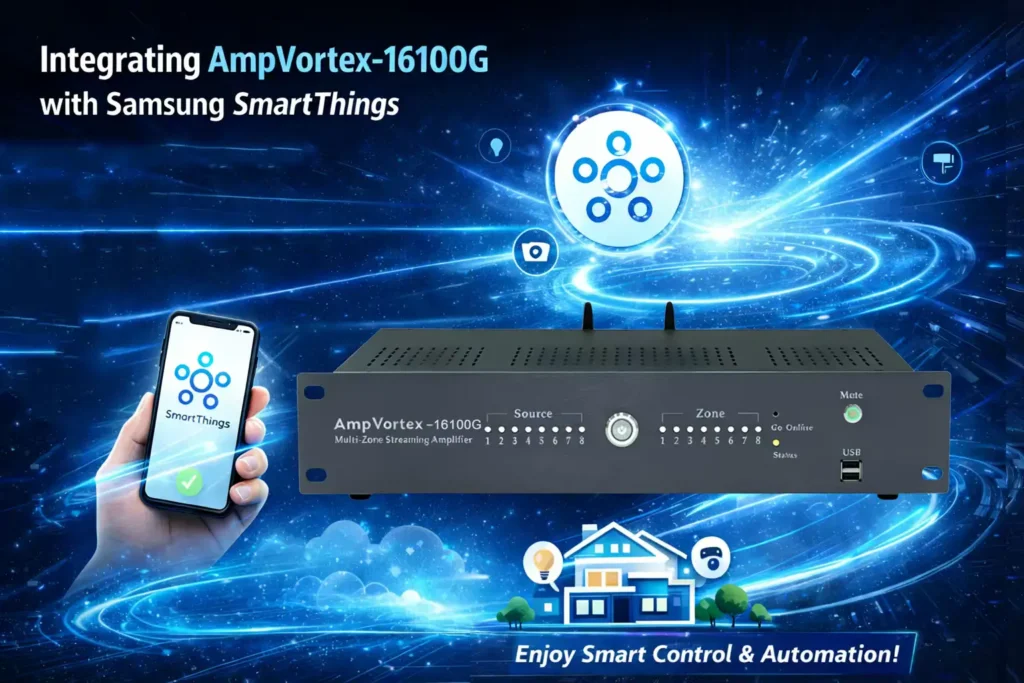
Integrating AmpVortex-16100G with Samsung Smart Things
Industry-Leading Connectivity & Brand Vision
The AmpVortex Series Multi-room Streaming Amplifiers are engineered to dissolve the barriers of smart home audio, providing a seamless distribution experience for users worldwide. We are proud to announce that the entire AmpVortex lineup is Matter-certified, ensuring native, high-performance interoperability with the world’s leading smart home platforms:
- Apple Home (HomeKit)
- Google Home
- Amazon Alexa
- Samsung SmartThings
- Home Assistant
AmpVortex delivers high-fidelity audio with industrial-grade stability. Today, we will use the AmpVortex-16100G as an example to demonstrate how to integrate your system into the Samsung SmartThings ecosystem via the Matter protocol.
For technical inquiries, please visit our official support center: www.ampvortex.com.
Preparation & Environment Requirements
Ensure your Samsung ecosystem is ready for the Matter onboarding process:
- Hardware Ready: Power on your AmpVortex-16100G and connect it to your speakers.
- SmartThings Hub: You need a Matter-compatible SmartThings controller, such as a SmartThings Station, SmartThings Hub v3, or a compatible Samsung Smart TV/Refrigerator acting as a hub.
- Mobile App: Update your SmartThings App to the latest version on your Galaxy phone or other Android/iOS devices.
Standardized Setup (Scan to Connect)
SmartThings offers a streamlined “Option A” setup through its intuitive interface:
- Open SmartThings: Launch the app and tap the “+” (Add) icon in the top right, then select “Add Device.”
- Scan Matter Code: Choose “Scan QR code” and point your camera at the Matter Setup Code on the back of the AmpVortex-16100G.
- Automatic Discovery: The app will identify the AmpVortex amplifier as a Matter device. Tap “Start” to begin the pairing.
- Network Setup: Follow the prompts to add the device to your home Wi-Fi. Once finished, you can customize the device name (e.g., “Main Amp”).
Eight-Zone Assignment & Room List
Assign your AmpVortex-16100G to specific rooms in the SmartThings dashboard for organized control:
| Zone ID | Room Name | Function Description | Volume Preset |
| Zone 1 | Living Room | Main entertainment area for movies and music. | 65% |
| Zone 2 | Master Bedroom | Soft background music for morning and night. | 40% |
| Zone 3 | Dining Room | Perfect audio level for dinner conversations. | 50% |
| Zone 4 | Kitchen | Clear audio for cooking and news updates. | 60% |
| Zone 5 | Study / Office | Focused environment with ambient soundscapes. | 35% |
| Zone 6 | Patio | Outdoor coverage for gardening and relaxation. | 80% |
| Zone 7 | Kids Room | Child-friendly music or educational audio. | 45% |
| Zone 8 | Laundry Room | Background audio for utility areas. | 55% |
Advanced Control & Dual-App Sync
The AmpVortex-16100G offers deep synchronization with the SmartThings platform:
Dashboard Control: View your amplifier as a tile on your SmartThings dashboard. You can toggle power, adjust volume sliders, and mute instantly.
Two-Way Sync Logic:
-
- Status Real-Time Update: Any volume or mute adjustment made in the AmpVortex App will be reflected on the SmartThings slider instantly.
- Bi-directional Feedback: If you adjust the volume via a Samsung Smart TV remote or the SmartThings App, the AmpVortex App will update its status in real-time.
Automation (Routines): You can include AmpVortex in SmartThings Routines, such as “Good Morning,” to start music at a specific volume when you wake up.
Voice Interaction (Bixby & Others)
Control your AmpVortex-16100G using Bixby on your Samsung Galaxy devices:
- “Hi Bixby, set the Living Room volume to 50%.”
- “Hi Bixby, mute the Patio.”
- “Hi Bixby, unmute the Kitchen.”
- “Hi Bixby, stop the music in the Master Bedroom.”
Maintenance & Support
Stay updated with the latest features via automatic OTA (Over-The-Air) firmware updates.
- Website: www.ampvortex.com
- Support Email: service@ampvortex.com